Author: admin

  • Creator Toolkit: Batch Filming Without Rushing

    Creator Toolkit: Batch Filming Without Rushing

    Batch Filming Without Rushing

    Batch filming can streamline your workflow, but it’s easy to lose clarity in your intros if you treat them all the same. Imagine setting up once by the window with your tripod fixed and recording three short intros back-to-back. The trick is to batch the setup—lighting and camera positioning—to save time, yet review each intro’s hook separately to ensure each message is clear and engaging. This balance helps maintain quality without the rush. At Creators.Support, we explore these practical workflows so creators can grow views and prepare for monetisation thoughtfully.

    Learn practical ways to grow your views and work towards monetisation. Join Free at https://creators.support/ or find us on the App Store for iPhone.

  • Creator Fix: Why Are Views Low?

    Creator Fix: Why Are Views Low?

    Why Are Views Low?

    If your video views feel stuck, don’t jump straight to blaming the algorithm. Try comparing two similar uploads: check how their titles, opening seconds, and viewer retention differ. For example, one video might start with a clear, engaging intro while the other opens slowly, or one title might be more specific. Instead of guessing platform secrets, pick one element to tweak—like sharpening your title or tightening your first 10 seconds—and test it. This straightforward approach helps you learn what works for your audience. For more practical creator growth tips, check out Creators.Support.

    Learn practical ways to grow your views and work towards monetisation. Join Free at https://creators.support/ or find us on the App Store for iPhone.

  • Creator Texts: Before Accepting A Brand Deal

    Creator Texts: Before Accepting A Brand Deal

    Before Accepting A Brand Deal

    When a brand’s first sponsorship message is vague—"We’d like a video"—it’s a perfect moment to ask clear questions. For example, a creator might reply: “Could you share the brief, usage rights, and budget?” This helps you understand if the brand fits your audience and what exactly they expect. Being upfront about deliverables and payment terms protects your time and creative energy. It’s okay to pause and clarify before saying yes. Creators.Support is a great place to learn how to handle these conversations confidently and prepare for monetisation.

    Learn practical ways to grow your views and work towards monetisation. Join Free at https://creators.support/ or find us on the App Store for iPhone.

  • Creator POV: What Low Views Can Teach

    Creator POV: What Low Views Can Teach

    What Low Views Can Teach

    You’ve just wrapped filming and glance at your latest upload — the views are low. Disappointment settles in, but instead of deleting it, you pause and scribble a quick note for a fresh opening idea for the next video. This small shift acknowledges that low views aren’t failures but clues, imperfect feedback nudging you toward a better next try. Creative growth isn’t instant, it’s a quiet process. Creators.Support reminds you that every creator faces these moments — learning how to interpret them is part of the journey.

    Learn practical ways to grow your views and work towards monetisation. Join Free at https://creators.support/ or find us on the App Store for iPhone.

    #CreatorMindset #ContentGrowth #KeepCreating

  • Creator Fix: Give Viewers A Reason

    Creator Fix: Give Viewers A Reason

    Give Viewers A Reason

    Many creators start their videos with a quick greeting, like “Hey everyone!” but struggle to hold viewers past those first seconds. Imagine two intros: one says “Hi, I’m Alex!” while the other opens with “Struggling to get views? Watch this simple tip.” The second immediately highlights the viewer’s problem and the benefit of watching. This shift from personal greeting to viewer-focused value can help clarify why someone should stay. When editing, try opening with the problem or result before explaining who you are or the story behind it. It’s a small change but refocuses attention right away. Creators.Support offers practical, honest education to help you learn these kinds of organic growth techniques and prepare for monetisation.

    Learn practical ways to grow your views and work towards monetisation. Join Free at https://creators.support/ or find us on the App Store for iPhone.
  • Explore Food Object Functions

    Explore Food Object Functions

    Learn WHAT Food Is For

    When children explore Food Object Functions, like choosing grapes and carrot sticks for a lunchbox, they build understanding of everyday items and their uses. This helps support meaningful communication and learning about the world around them. Try encouraging a child to talk about or show what each food is for during mealtime preparation. Richy Learning offers structured practice to help learners explore Everyday Objects and their functions. Start free at Richy.app, or find Richy on the App Store for iPhone and iPad.

  • Recognise Backpack and Everyday Objects

    Recognise Backpack and Everyday Objects

    Identify Your Backpack and Objects

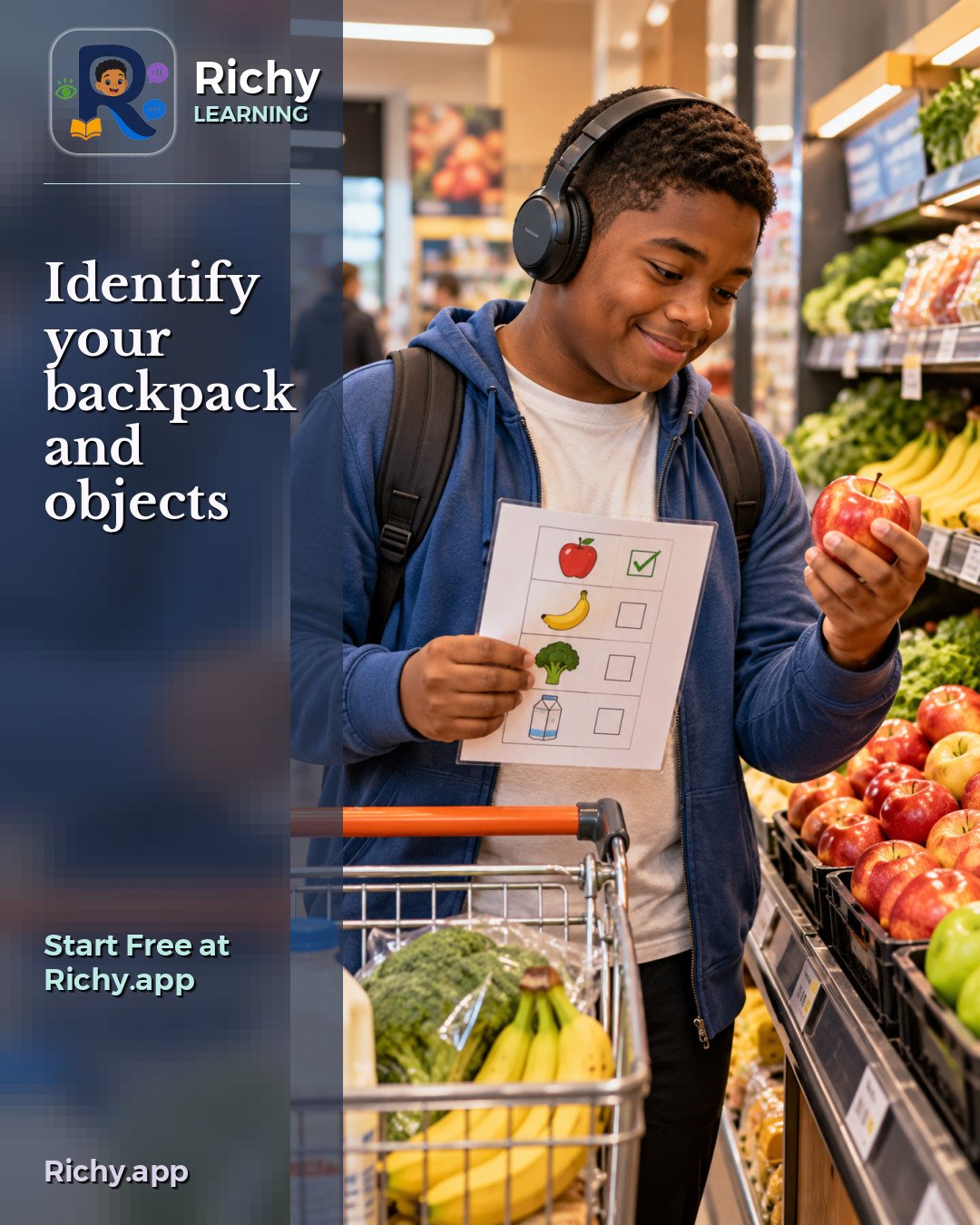
    Recognising Everyday Objects like a backpack helps build independence and communication skills. For example, a teen shopping with a checklist can connect the backpack they wear to the items they select, reinforcing real-world vocabulary. This practical approach supports meaningful learning by linking objects with daily activities. Try pointing out your backpack and naming items around you to practise Everyday Objects recognition. Start free at Richy.app, or find Richy on the App Store for iPhone and iPad.

  • Use One-Step Watering Instructions

    Use One-Step Watering Instructions

    Give Clear One-Step Water Requests

    Giving one clear, simple instructions like 'Please water the plant' helps learners focus on the task without feeling overwhelmed. For example, a teen might write this request in their notebook before calmly waiting for a response. This encourages understanding and respectful communication. Richy Learning supports practising these skills step-by-step with Everyday Words and Object Functions, helping learners build confidence at their own pace. Start free at Richy.app, or find Richy on the App Store for iPhone and iPad.

  • Explore WHERE Questions in the Garden

    Explore WHERE Questions in the Garden

    Find WHERE Garden Tools Belong

    Helping learners understand WHERE things belong can make everyday activities like gardening more engaging. For example, ask “Where do the gloves go after gardening?” to connect the action with the place. This encourages awareness of spatial concepts and supports communication about location. Try pointing to or placing items in their proper spots together to reinforce the idea. Richy Learning offers friendly practice with WHERE questions to build this skill step by step. Start free at Richy.app, or find Richy on the App Store for iPhone and iPad.

  • Explore WHAT Questions: Tying Shoes

    Explore WHAT Questions: Tying Shoes

    Learn WHAT Happens When Tying Shoes

    Noticing everyday actions like tying shoes helps learners practise WHAT questions by explaining simple steps. For example, saying "He is tying his shoe laces" links words to actions and objects, supporting understanding and communication. Try describing each step during shoe-tying to build clear connections with Everyday Objects and Object Functions. This encourages learners to recognise and use meaningful language in daily activities. Start free at Richy.app, or find Richy on the App Store for iPhone and iPad.